More apps BoulderLog BoulderTrain BoulderHang Coffee Aeye Glide
Beam Mobile · Phone & tablet · included with Beam

Your library, in your pocket.

A phone and tablet app built on Beam on your TV. Same library, same artwork, same watch history: browse it from the sofa, play it on the phone, send it to the big screen or take it with you. It talks only to your TV over your home network, with no account, no cloud, and no keys or passwords stored on the phone.

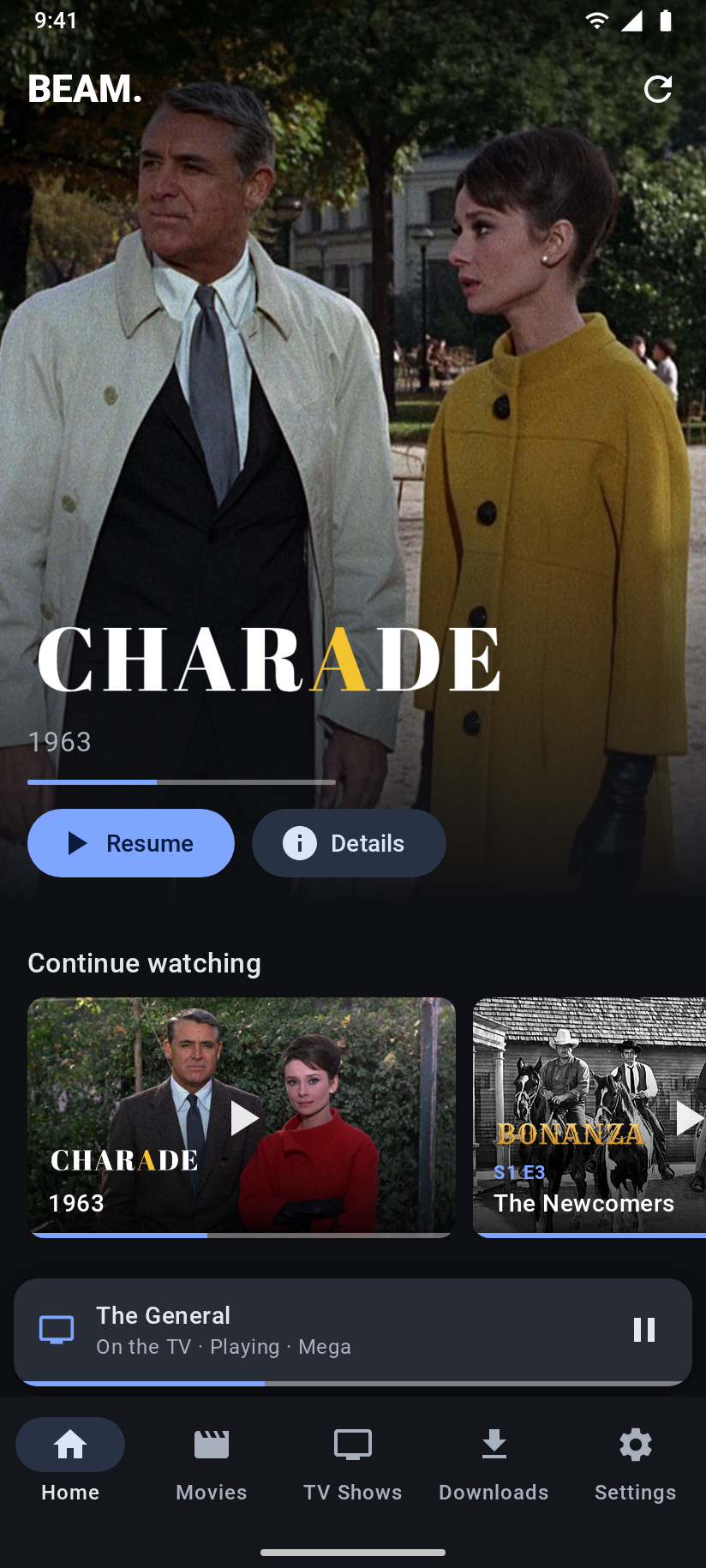
Beam Mobile home — a hero over Continue watching, with the TV remote bar above the tabs
Home, with the TV's remote bar
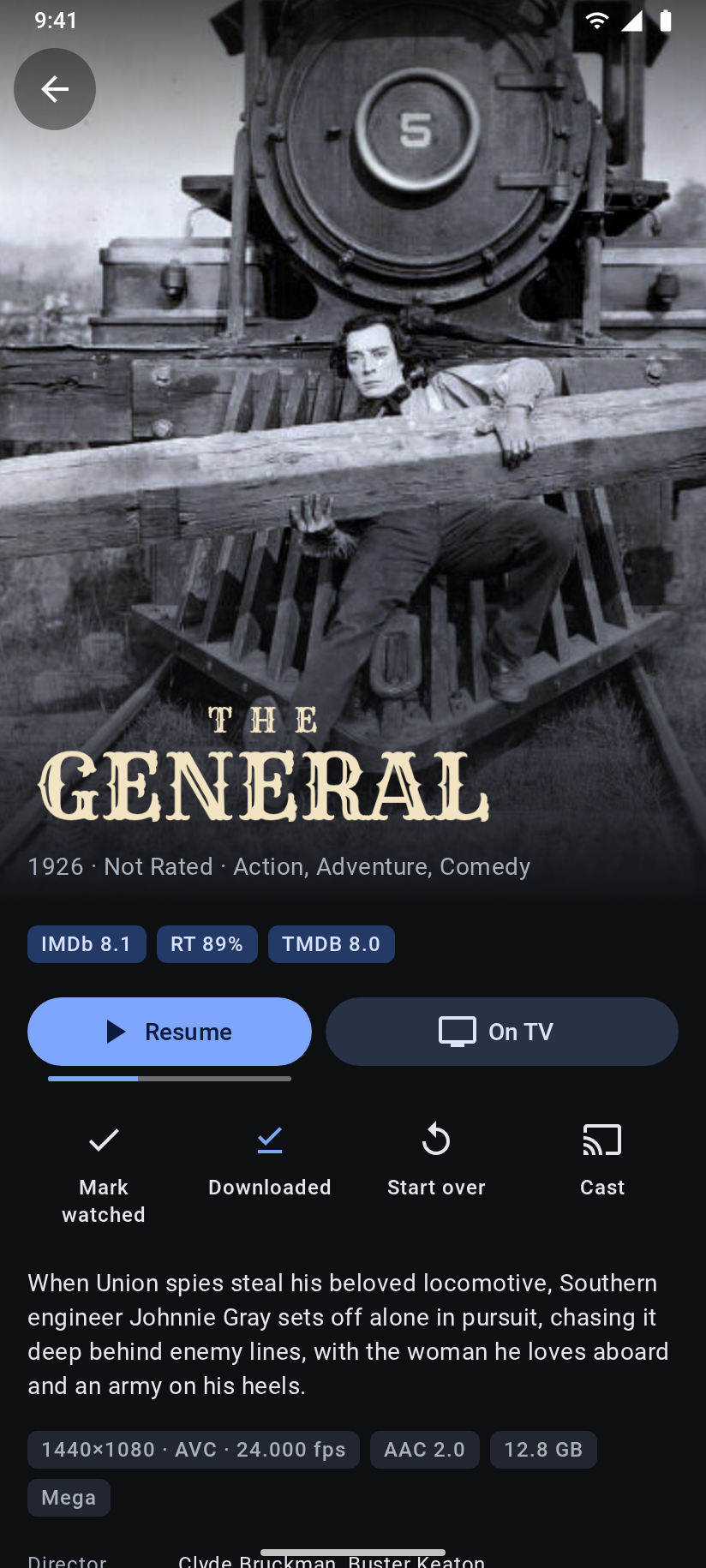
Beam Mobile movie page — Resume, On TV, Mark watched, Downloaded, Start over and Cast
Play here, or on the TV
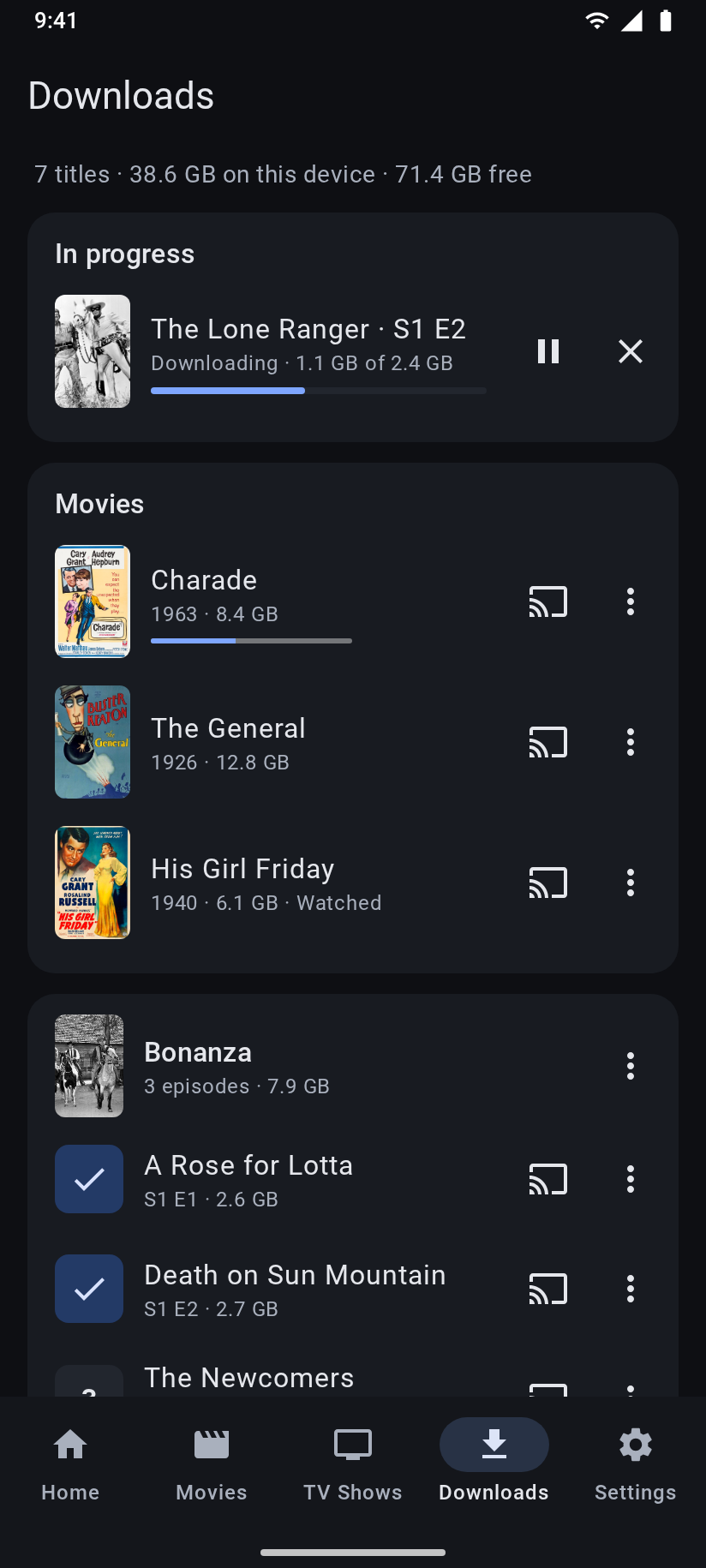
Beam Mobile downloads — in progress, movies and episodes, with storage used and free
Downloads for offline
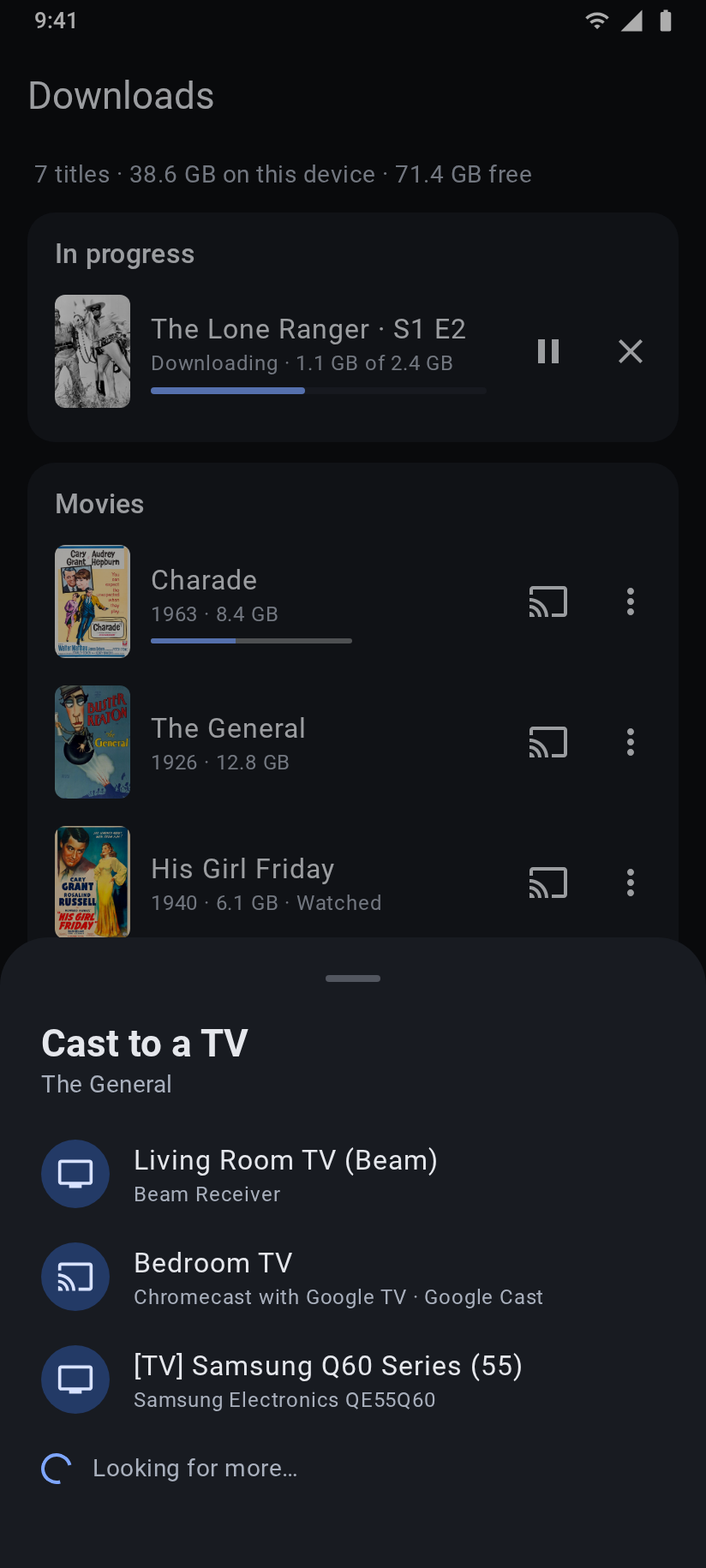
Beam Mobile Cast to a TV — Beam Receiver, a Google Cast device and a DLNA smart TV
Cast to any TV

The same library, in your hand

Posters, backdrops, title logos, ratings, cast and credits from your TV. Home brings Continue watching, Next up, top-rated and genre rows.

Find anything

Movie and TV grids with search, sorting by title, newest, IMDb rating or recently watched, and Unwatched, In progress, genre and Downloaded filters.

Play it here

A built-in player streams the original file from your TV, and the next episode starts by itself. Resume points and watched marks sync both ways.

Send it to the TV

Tap On TV and the title starts on the big screen. A remote bar appears with play/pause, a seek bar, −10/+30 s, previous/next episode and stop.

Download for offline

Download movies, single episodes or whole seasons, and pause, resume or retry them. Titles, details and art stay browsable without the TV, and progress made away from home syncs back when you return.

Cast to any TV

Downloads cast to Chromecast and Google TV, to Samsung, LG and other DLNA smart TVs, or to Beam Receiver. The phone serves the file itself over your Wi-Fi.

Casting that just plays

MKV files are repackaged on the fly without re-encoding. Audio a Chromecast can't play (DTS, TrueHD, AC-3, E-AC-3) can be converted to AAC, and H.265 converted to H.264 for older Chromecasts. Each conversion is a switch in Settings.

A Kids profile

With Kids Mode on, "Who's watching?" opens at every launch. Kids get their own bright look and only the titles picked for them on the TV: no remote, no settings, just Play.

Your player, your call

Use the built-in player, choose each time, or always open a favourite app such as VLC, mpv or MX Player. If the phone can't decode a file, Beam Mobile offers to open it in an external player.

Android 8+ phones & tablets Finds your TV automatically Reconnects when you're back in range Google Cast + DLNA No account
Setup

Connect it to your TV

Optional. Beam Mobile reads the library from Beam on your TV, so the TV does the setup and the phone just connects. Android 8 or newer, on the same Wi-Fi as the TV.

  1. On the TV, in Beam: Settings → Network Sharing → Web Dashboard → on. This gives the phone the library, the remote and watched sync.
  2. Also turn on Media Server for Kodi (UPnP). The phone needs it to play and download Mega and seedbox titles, and to find the TV by itself. Local-drive titles also play with Share Local Library (Beam Link) on.
  3. On the phone, open Beam Mobile → Settings → TV connection and tap Find TV, or type the address Beam shows under its Settings and tap Connect.
  4. Optional: Settings → Casting → Cast to TVs adds Cast to downloaded titles. Convert audio and Convert video help older Chromecasts.
Note  Settings → Kids Mode on the phone adds a "Who's watching?" screen. The Kids profile shows the titles picked for Kids on the TV; picking stays on the TV.
Full setup guide →
One price · all three apps

€12.99, once.

No subscription. Beam for Android TV, with Beam Mobile and Beam Receiver included at no extra cost.

  • BeamAndroid TV
  • Beam MobilePhones & tablets
  • Beam ReceiverAny Android TV
One-time purchase · Instant access · Invoice included